 middle place
Voice journaling: talk instead of typing.
Some days you don’t have the energy to type, or you’re walking home and the thought is right there. A voice journal lets you say it out loud and still end up with an entry you can read, search and come back to.
Updated 5 November 2026
What is voice journaling?
Voice journaling (or audio journaling) is keeping a diary by speaking instead of writing. You record yourself talking through your day, a feeling or a decision, and the recording is turned into text. You get the speed and honesty of talking with the searchable record of a written journal.
Why people prefer it
Speed is the obvious reason: most people talk several times faster than they type on a phone. The less obvious one is that you edit yourself less out loud, so you tend to say the thing instead of polishing it.
It also fits into parts of the day where a keyboard doesn’t, like a walk, the car park before work, or bed with the lights off. And months later the recording keeps something the text can’t, which is how you sounded that day.
How voice journaling works in middle place
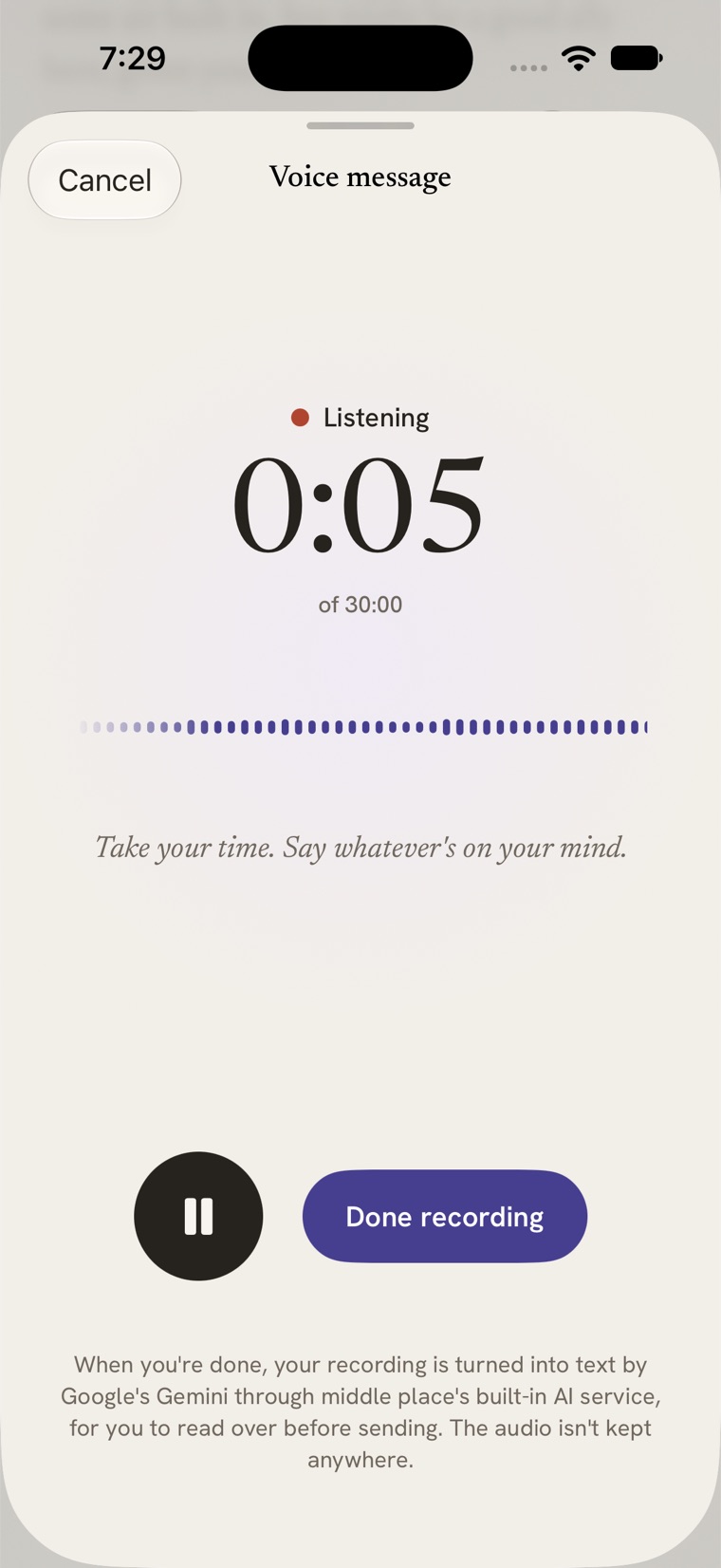
- Tap the mic when you’re writing an entry. Record for up to 30 minutes, pausing and resuming as you like.
- Keep going anywhere. Recording carries on if you lock your phone or switch apps. A phone call pauses it rather than ending it.
- It turns into text. When you stop, the recording is transcribed and the text lands in your entry, ready to edit before you save.
- The audio stays with the entry. Listen back whenever you want. The recording is kept in a compact format, about a fifth of a megabyte per minute, and syncs between your devices encrypted.
- It writes back. Like any entry, it gets a reply, and anything worth remembering (a person, a plan, how you’re feeling) is noted.
You can also speak a quick message instead of typing it. That recording is only kept until it’s turned into text.
Where your voice goes
Voice is personal, so here’s exactly what happens to a recording:
- On the built-in AI (the default), a compressed copy is sent through our relay to Google’s Gemini to be written out, along with the names of the people you’ve added so it spells them right. The relay doesn’t store the audio or the text.
- With your own Anthropic key, or Apple’s on-device model, the recording is transcribed on your device by Apple’s speech recognition, and the audio isn’t sent anywhere.
- The recording itself is never sent to the chat model. Only the text you keep is.
Tips for a better voice journal
- Start with where you are. “I’m walking back from the station and…” is an easy first sentence.
- Don’t restart. Ums and false starts are fine. You can tidy the text afterwards, or not.
- Say names. Mention people by name and the journal can link the entry to them.
- End with one line about how you feel. It makes the entry easier to find later.
- Stuck? Read a journaling prompt out loud and answer it.
Voice journaling questions
How long can a voice journal entry be?
Up to 30 minutes per recording in middle place, with pause and resume. A 30-minute recording takes up roughly six and a half megabytes.
Does voice journaling work when my phone is locked?
Yes. Recording keeps going on the Home Screen, in other apps and with the phone locked, and playback does too, with controls on the Lock Screen.
Can I edit the transcript?
Yes. The text appears in your entry for you to change before you save it. The original recording stays attached, so nothing is lost if you trim it.
Can I share a voice entry?
You can share a recording to other apps as an audio file. Nothing is shared unless you choose to.