 middle place
An AI journal that writes back, and remembers.
middle place is a journal for iPhone, iPad and Mac with an AI that answers what you write. Over time it gets to know the people in your life, what you’re working through and what’s coming up, so you never have to start from a blank page or explain yourself twice.
Updated 5 November 2026
middle place at a glance
- What it is: an AI journal app that replies to what you write and remembers the people, plans and themes in your life.
- Devices: native apps for iPhone, iPad and Mac (iOS 26, iPadOS 26, macOS 26).
- Price: free download on the App Store, with a daily AI allowance.
- AI: Anthropic’s Claude by default; or your own Anthropic key; or Apple’s on-device model.
- Privacy: local-first, encrypted sync, no ads, no third-party trackers, nothing sold.
- Brings in: Apple Journal and Day One exports, and Markdown files, photos included.
- Not: a therapist, medical device or crisis service.
What is an AI journal?
An AI journal is a digital diary that does more than store your entries. You write, or talk, the way you would in any notebook, and an AI model reads the entry and responds: it reflects back what it heard, asks a follow-up question, or notices a pattern you’ve mentioned before. The better ones also remember, keeping notes on the people and situations you write about, so the next reply starts from your actual life instead of from nothing.
That memory is the difference between an AI journal and pasting your diary into a chatbot. A chatbot forgets you when the window closes. A journal is supposed to be the one place that doesn’t.
How AI journaling works in middle place
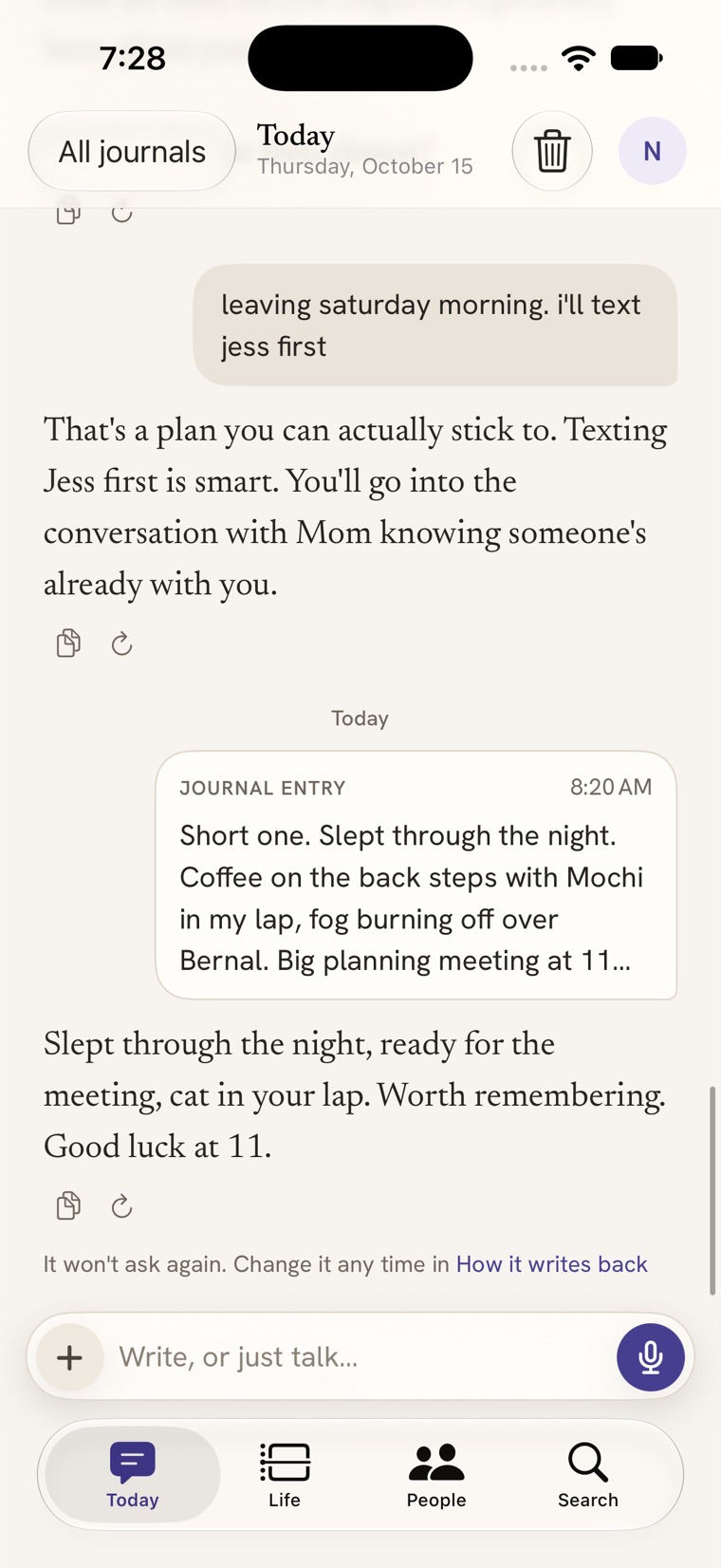
- You write, or talk. A quick message or a proper journal entry with photos, a place or a voice recording. There are no separate chats to manage: it’s one continuous journal with your history behind it.
- It writes back. The reply knows your context. Ask it to keep replies short, to push back more, or to just listen, and it will.
- It remembers, where you can see it. When you mention someone new, a plan for Thursday, or something you’re struggling with, it notes it. Every change it makes to its memory shows up right there in the conversation, and you can undo it.
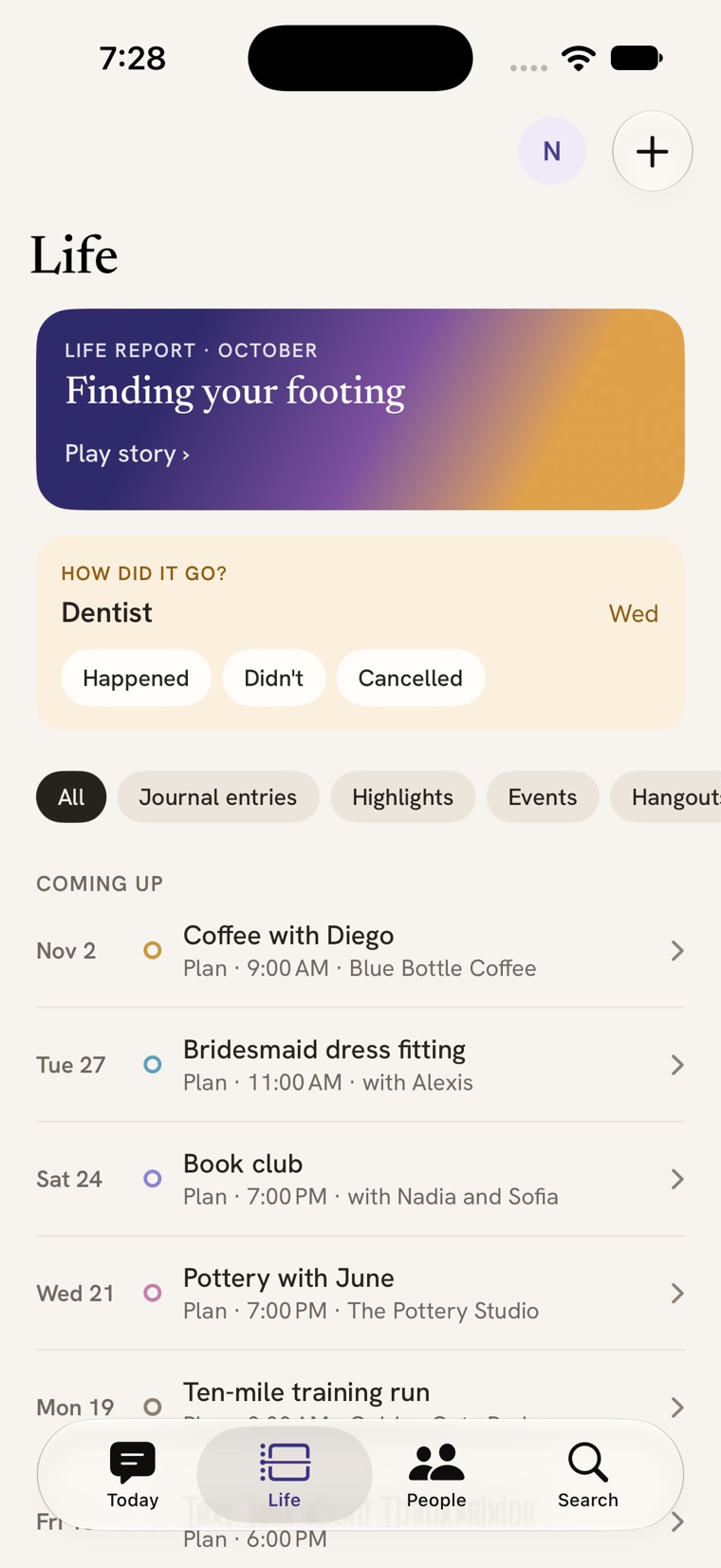
- Your life fills itself in. Those notes become a timeline of what happened and what’s coming up, a picture of the people in your life, and the context for every reply after that.
What it remembers
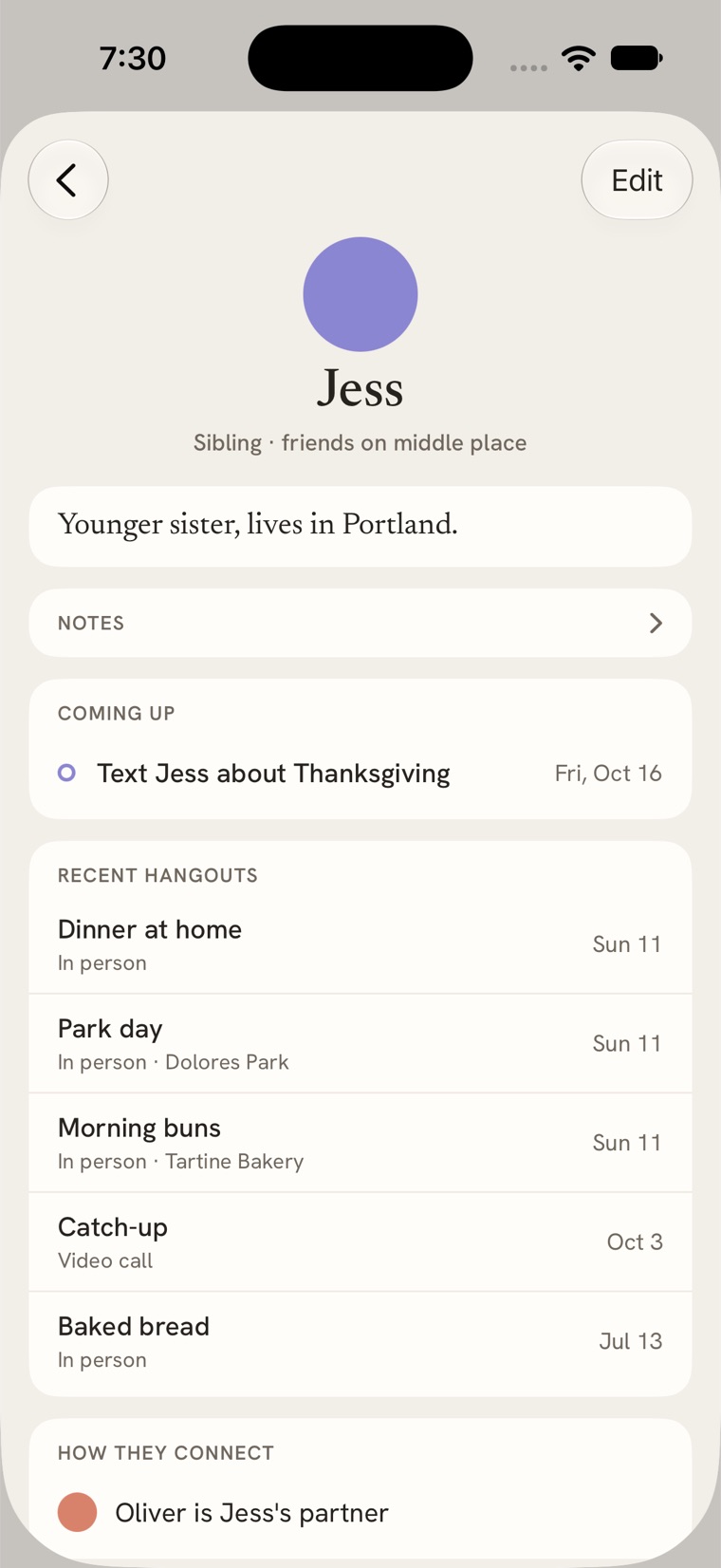
It keeps track of the people you mention: who they are to you, how they know each other and what’s going on with them, all visible at once as a constellation. It notes what keeps coming up for you, your goals, and what helps when things get hard. Mention the dentist on Thursday and the appointment lands on your timeline; on Friday it asks how it went, once. Moods and wins are logged as you write, and moods can go to Apple Health if you want them there.
You can open any of it, correct it or delete it. If it got something wrong about your sister, you fix it once and it stays fixed.
What an AI journal can do that a paper diary can’t
Ask about everything you’ve written
Search finds what you meant, not just the words you used: look for “the week I felt stuck at work” and it finds the entries even if you never wrote the word “stuck”. The search index is built and kept on your device. Ask goes one step further and answers questions across your whole journal (“When did I last see Mara?”, “What have I said about my dad this year?”) with links back to the entries it used.
A story about you, when you want one
Life Report reads back over what you’ve written and tells you where you are right now, as a short story you tap through, with a longer letter if you want more. Nothing is written until you ask for it.
Follow-through on your own plans
Plans you mention become check-ins after the day passes, so the things you meant to do don’t quietly disappear.
Find common ground with a friend
Two people can compare notes to see what they share, without either of them handing over their journal. See how Common Ground works.
Is an AI journal private?
It depends entirely on the app, so it’s worth asking. Here is the honest answer for middle place:
- Your journal lives on your device. Sync between your own devices is encrypted.
- For a reply, the entry has to reach an AI model. By default it goes through our relay to Anthropic’s Claude; the relay doesn’t store what you wrote.
- If you’d rather skip our servers, use your own Anthropic API key (kept in your Keychain) or Apple’s on-device model, which never sends your writing anywhere.
- No ads, no third-party trackers, nothing sold. Face ID can keep the app locked.
The private journal guide walks through every question worth asking, and the privacy policy has the full detail.
Who it’s for
People who already journal and want something that answers. People who tried journaling, stared at an empty page and quit. People who never started because they didn’t know what to write. And people in therapy who want somewhere to put the week between sessions (here’s how that works).
middle place can’t stand in for a therapist, a doctor or a crisis service, and it doesn’t try to.
Questions about AI journaling
Is middle place free?
Yes. It’s a free download on the App Store for iPhone, iPad and Mac, and the built-in AI comes with a daily allowance at no cost. You can also use your own Anthropic API key, or Apple’s on-device model, instead.
Which AI model does it use?
Replies come from Anthropic’s Claude by default. You can switch to Apple’s on-device Foundation Models, which run entirely on your iPhone, iPad or Mac, or bring your own Anthropic API key so requests go straight from your device to Anthropic.
Can an AI journal replace therapy?
No. middle place is a journal, not a therapist or a crisis service. Many people use it alongside therapy to keep track of the week between sessions, but it doesn’t diagnose or treat anything. If you’re in crisis, call or text 988 in the US, or find your local line at findahelpline.com.
Can I bring my old journal?
Yes. middle place imports an Apple Journal or Day One export, or a folder of Markdown files, photos included, and reads them on your device. See moving from Apple Journal, Day One or Markdown.
Does it work on Mac and iPad?
Yes. There’s a native app for iPhone, iPad and Mac, built in SwiftUI. Everything you write on one shows up on the others through encrypted sync.
Can I journal by voice?
Yes. Record up to 30 minutes, pause and resume, and the recording is turned into text you can edit. The audio stays with the entry so you can listen back. More in the voice journaling guide.